

Verified Entry®
Stop candidate fraud before day one, and prove identity on every shift after
-
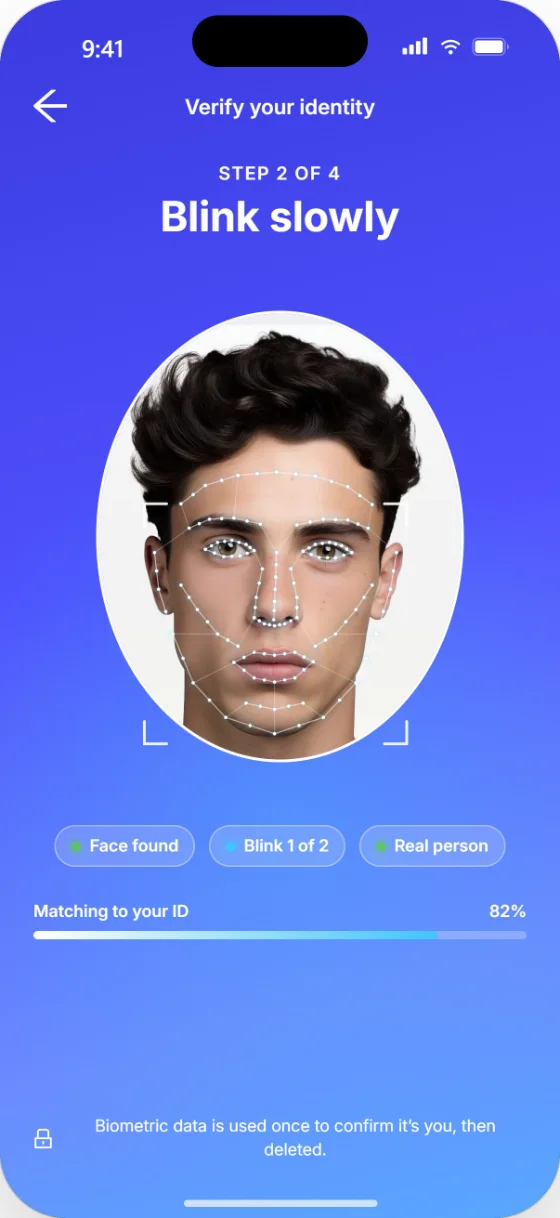 1Liveness selfie A real person, not a photo or deepfake.
-
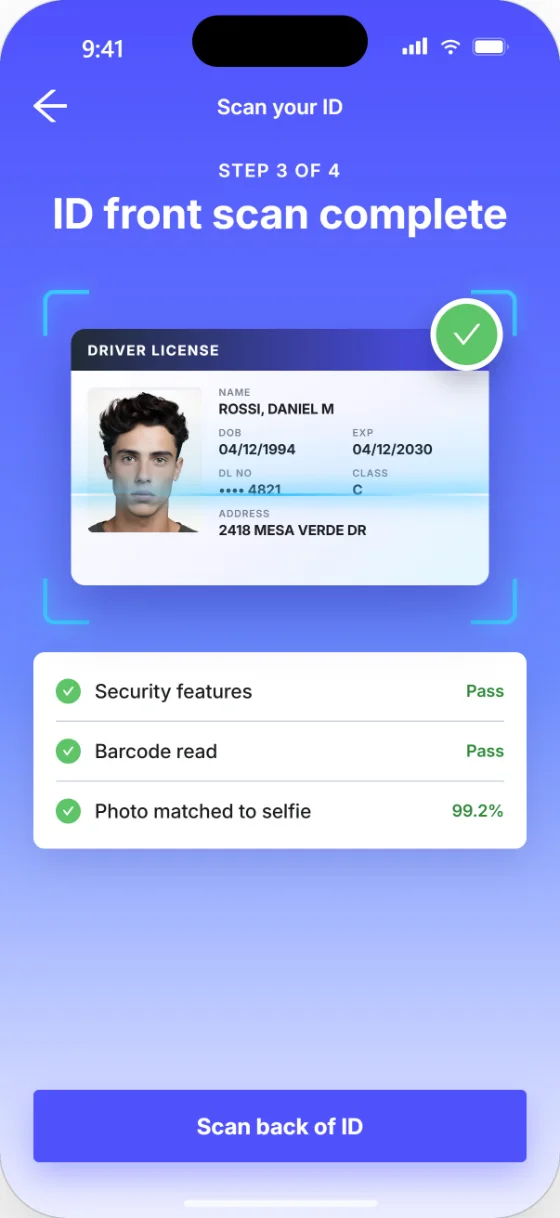 2Scan the ID Security features checked, barcode read.
-
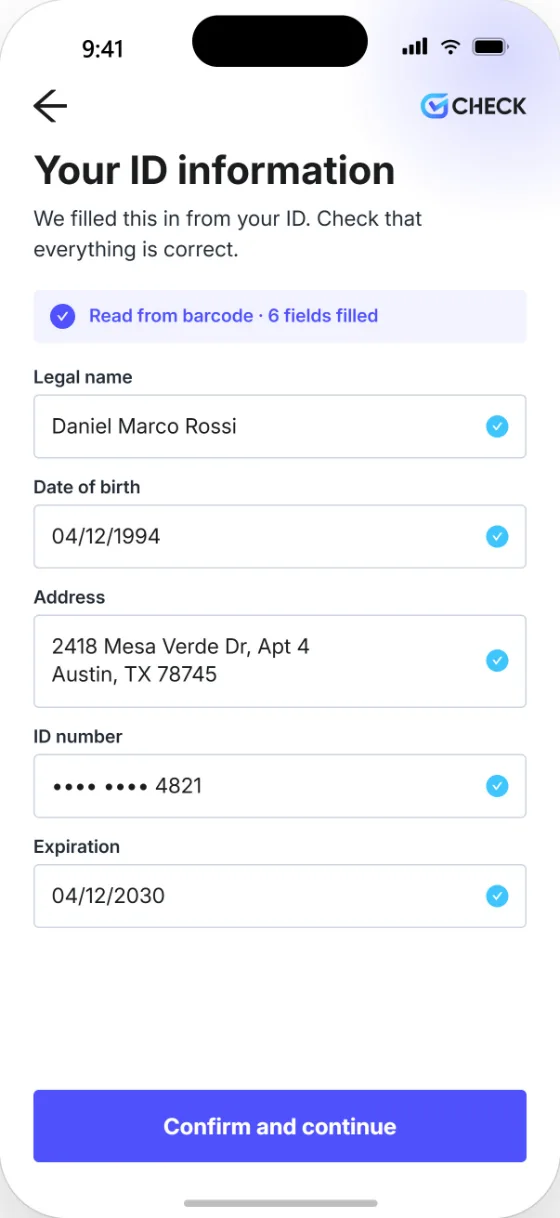 3Confirm the details Filled in straight from the ID.
-
 4Identity verified Verified Entry complete. Background check in progress.
- 1Credential issued Signed by GCheck once identity is verified.
- 2Saved to the wallet Ready on the worker’s phone.
- 3Show and scan Anyone scans with a phone camera.
- 4Identity confirmed The right person showed up.


- SOC 2 Type 2
- HIPAA
- PBSA Member
- FCRA compliant
The Verification Half-Life™A background check’s confidence starts to fade after hire
A check confirms who someone is once. Nothing reconfirms that the person screened is the person who shows up next week. We call that erosion the Verification Half-Life™, and Verified Entry® resets the clock.
- 28% of workers have suspected a coworker wasn’t the person hired, or wasn’t doing their own work.
- 33% have heard of someone being paid to let another person use their identity to get a job.
- 14% believe employers are doing enough today to verify workers.
Source: GCheck, “The Rise of the Shadow Workforce,” survey of 1,500 employed U.S. adults.
One identity, two momentsConfirmed before the check. Proven after it.
Prove they are who they say they are
A liveness selfie and ID scan run before any search is ordered, so every result is tied to a confirmed person.
- Liveness blocks photos, replays and deepfakes
- ID forensics catch altered or fake documents
- Details filled in straight from the ID
- 1Liveness selfie A real person, not a photo or deepfake.
- 2Scan the ID Security features checked, barcode read.
- 3Confirm the details Filled in straight from the ID.
- 4Identity verified Verified Entry complete. Background check in progress.
Confirm the same person shows up
Verified people carry a signed credential on their phone. Anyone can scan it at the field, the front desk or the door to confirm it’s them.
- Scan with any phone camera, no app or login
- Works in person or over a video call
- Expires on the date you set
- 1Credential issued Signed by GCheck once identity is verified.
- 2Saved to the wallet Ready on the worker’s phone.
- 3Show and scan Anyone scans with a phone camera.
- 4Identity confirmed The right person showed up.
Why it’s betterBetter data in, better results out
- Identity before screening Every check starts from a confirmed person, not a typed-in name.
- Government ID, verified Forensics and barcode checks confirm the ID is real and unaltered.
- Face match and liveness The person holding the ID is the person on it, and actually there.
- Fewer errors and reorders Verified details cut name mismatches that slow searches down.
- Fraud stopped at the door Synthetic identities and deepfakes flagged before onboarding, not after.
- Audit-ready records Every verification is logged with the screening file.
How it worksAbout two minutes for the candidate
- 01 Capture the ID The candidate photographs their government ID from any phone.
- 02 Check it’s genuine Forensics and barcode analysis spot tampering or forgery.
- 03 Match the face A live selfie is matched to the ID photo and checked for liveness.
- 04 Verify and screen Results are recorded and the background check runs on verified data.
Who it’s forAnywhere someone needs to know who just walked in
The person checking doesn’t need an app or a login. They point a phone camera at the code and see that their identity is verified.
Youth and education
- Youth sports Coaches, refs and volunteers at field and tournament check-in
- K-12 volunteers and chaperones Verified before building access or a field trip
- Camps and after-school Counselors, seasonal staff and enrichment vendors at drop-off
- Tutoring and mentoring In-home tutors and mentors show families at the door
- Faith-based programs Nursery, youth group and mission-trip volunteers
In-home services
- Home services and trades Plumbers, HVAC techs, cleaners and movers, before entry
- Gig and marketplace workers The person at the door is the person screened
- Childcare and nannies Caregivers confirmed at every placement
- Senior and in-home care Aides and companions verified on arrival
- Utility and field techs Residents confirm a tech is legitimate
Facilities and workforce
- Contractor and vendor access Hospitals, schools and data centers, no physical badge
- Construction sites Subcontractor crews verified before work starts
- Staffing agencies Proof of onboarding carried to every client site
- Healthcare staffing Travel nurses and per-diem clinicians at check-in
- Property management Maintenance vendors and leasing agents
Events and public roles
- Event and venue staff Security, concessions and crews at staff entrances
- Nonprofit and disaster response Volunteers verified at intake
- Real estate showings Agents and buyers verify each other first
- Rider transportation School bus, special-needs and senior shuttle drivers at pickup
One person, many doorsThis is Daniel.
Weekdays, he runs a forklift at a distribution center. Saturdays, he coaches youth soccer. Sundays, he helps in his church nursery.
He verified once. The same credential on his phone gets him through all three doors.
- MON · 6:58 AM Bluefield Logistics, Austin DC Shift supervisor scans him in at Dock 4.
- SAT · 8:30 AM Eastside Youth Soccer Tournament staff check coaches in at the field.
- SUN · 9:15 AM Grace Community Church The nursery lead confirms volunteers at the door.
What it replacesA badge can be borrowed. A verified identity can’t.
| Today | Where it breaks | With Verified Entry® |
|---|---|---|
| Printed badges and lanyards | Easy to copy or lend. They never expire. | Tied to a verified ID, with an expiration date |
| Clearance lists and sign-in sheets | Staff match names, not faces. | Each scan shows the verified person’s photo and issuer |
| Visitor kiosks and badge printers | Hardware needed at every site. | Any phone, any location |
| Emailed or screenshotted results | No way to tell if they’re still current. | A live verification page on every scan |
Common questionsVerified Entry®, answered
It confirms a candidate’s identity with ID forensics, face match and liveness before the background check runs, then issues a signed credential employers can scan later.
Searches use verified details from the ID instead of typed-in data, so fewer name mismatches, typos and reorders.
Yes. Candidates consent before any biometric or document data is processed, and consent is stored with the record.
Yes. Candidates verify from their own phone, with no site visit or in-person check.
Document forensics catch altered IDs, liveness blocks replays and synthetic media, and face match confirms the ID belongs to the person holding it.
Verified Entry® never keeps biometric data. It converts the selfie and ID photo into mathematical facial vectors, uses them only to return a pass/fail match in under 10 seconds, then deletes them immediately. ID and selfie images may still be retained for compliance under the GCheck Privacy Policy.
About two minutes for most candidates when the ID photo and selfie are clear.
Yes. Every verification event and outcome is recorded with the screening file for compliance reviews.
No. Only the verified person uses the app. Anyone checking just points their phone camera at the code, with no download or account.
No. Each scan opens a live verification page from GCheck, so an expired or inactive credential won’t pass.
A background check screens a name. Verified Entry® proves the person in front of you is that name.
Any organization that lets screened people on-site: youth sports and schools, home and in-home services, contractor and vendor access, staffing, healthcare and event teams.
From the blogExplore the GCheck content hub
View all articles

Reset the Verification Half-Life™ on every shift
See Verified Entry® with your own hiring flow in a 20-minute demo.